

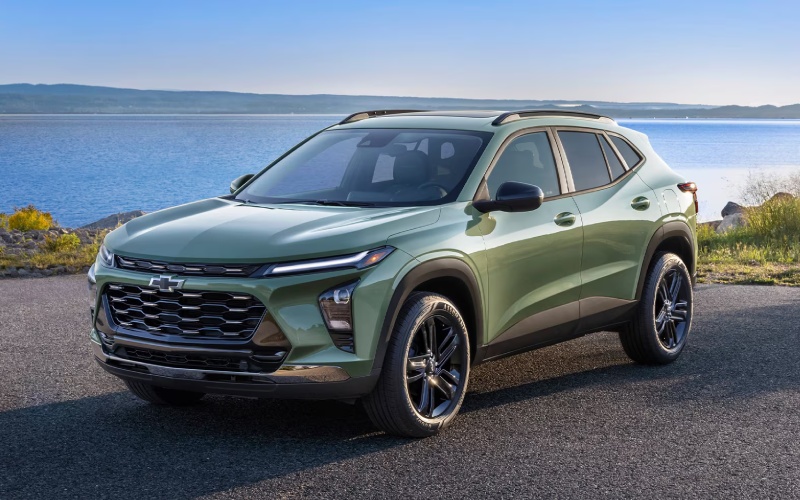
Mills Chevrolet - How Chevy Safety Assist Works on the 2026 Chevrolet Trax for Bettendorf, IA Drivers
Chevy Safety Assist is standard on every 2026 Chevrolet Trax, and understanding how it functions can help Bettendorf, IA drivers get the most from its confidence-inspiring technology. This advanced suite includes Forward Collision Alert, Automatic Emergency Braking, Front Pedestrian Braking, Lane Keep Assist with Lane Departure Warning, Following Distance Indicator, and IntelliBeam® High Beam Assist — features that actively support safer driving without taking the wheel away from you. When your routine includes city streets, school zones, and busy parking areas, the sensors and camera-based systems behind these features watch for closing gaps, lane drift, and pedestrians, helping you react earlier and stay composed in traffic.
Setup takes only a few minutes. Use the steering-wheel controls to access driver-assistance settings in the instrument menu and tailor alerts to your preferences. Visual and audible warnings are calibrated to be informative, not overwhelming, and many settings can be fine-tuned to your comfort level. For example, you can adjust the alert timing for Forward Collision Alert or toggle Lane Keep Assist prompts. IntelliBeam® automatically toggles high beams when it detects traffic, enhancing visibility on unlit roads outside town. Paired with LED headlights, this feature reduces fatigue during nighttime drives and helps you focus on the path ahead.
The 2026 Trax integrates these safeguards with everyday convenience. Standard wireless Apple CarPlay® and wireless Android Auto™ streamline your apps, calls, and navigation without cable clutter, reducing distraction and helping you keep your attention on the road. The available 11-inch center HD touch-screen presents alerts and menus with crisp clarity, and the 8-inch color Driver Information Center puts essential data — including Following Distance Indicator feedback — in a natural line of sight. Together, the layout and logic of the cabin make it easy to learn and trust the system’s guidance.
It’s also worth recognizing what the Trax’s systems are designed to do — and what they are not. Chevy Safety Assist helps with awareness and braking in specific conditions, but attentive driving remains essential. Keep sensors clean, especially in winter, and ensure your windshield area around the forward camera remains unobstructed. If alerts occur frequently, recheck your settings, tire condition, and alignment; fresh tires and proper pressure can improve how smoothly Lane Keep Assist and other prompts feel during daily driving.
- Forward Collision Alert: Warns you if a potential front-end collision is detected so you can take action sooner.
- Automatic Emergency Braking: Can apply hard emergency braking or enhance your braking to help reduce the severity of a collision.
- Front Pedestrian Braking: Monitors for pedestrians ahead and can provide braking assistance below certain speeds.
- Lane Keep Assist with Lane Departure Warning: Provides gentle steering assistance and alerts to help you stay in your lane.
- Following Distance Indicator: Displays gap time to a detected vehicle ahead to help you manage space.
- IntelliBeam® High Beam Assist: Automatically toggles high beams for improved visibility without blinding other drivers.
Practical tips can enhance your day-to-day results. Keep the camera area and Chevy bowtie badge region clear of snow or road film to maintain consistent sensor performance. When you clean your windshield, focus on the upper area near the rearview mirror housing where the front camera typically views the road. During long trips, take a moment at fuel or coffee stops to wipe headlights and ensure IntelliBeam® can read the scene cleanly. If you regularly encounter construction zones or heavily faded lane markings, expect Lane Keep Assist prompts to fluctuate — the system’s job is to respond to what it sees, and clear markings allow it to work best.
When it’s time to choose your ideal configuration, consider how feature availability aligns with your routine. The system is standard across the lineup, and trims like 2RS and ACTIV layer on unique design elements — such as Red interior accents or Titanium chrome exterior details — without compromising safety content. The result is a small SUV that backs its confident look with thoughtful protection, all in a city-friendly footprint that’s easy to park and simple to live with.
Frequently Asked Questions:
Can I adjust how early Forward Collision Alert warns me?
Yes. You can change alert timing in the driver-assistance settings using the steering-wheel controls so the warnings feel natural for your driving style.
Does IntelliBeam® work in light rain or mist?
It may, but keep the windshield and headlight lenses clean for best performance. The system automatically toggles based on traffic it detects ahead.
Will Lane Keep Assist steer the vehicle for me?
No. It provides gentle steering support and lane-departure alerts but always requires your hands on the wheel and attention to the road.
Do I need to recalibrate cameras after a windshield replacement?
Calibration procedures vary. Consult a certified service team to ensure the driver-assistance camera is properly aligned after any glass work.
When you are ready to see how these features feel on the road, a focused test drive can be eye-opening. You can evaluate alert timing, try IntelliBeam® on a dimly lit stretch, and use the touch-screen to explore settings while parked. It is a smart way to understand how the Trax supports your instincts, keeps the cabin calm, and integrates with your favorite apps. Mills Chevrolet — serving Bettendorf, East Moline, and Moline — can help you tailor settings and walk through the menu structure so you leave confident and ready for everyday driving.
Request more 2026 Chevrolet Trax information
Categories:
Chevrolet Trax