

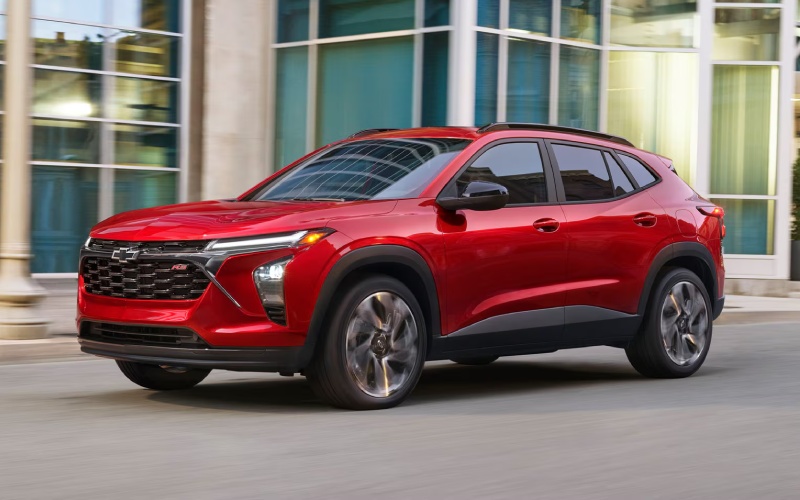
Mills Chevrolet - How the 11-inch Touch-Screen and Wireless Tech in the 2026 Chevrolet Trax Elevate Everyday Driving around Iowa City, IA
If you spend time driving across Iowa City, IA — from campus-side streets to Coralville errands and tailgate runs — the 2026 Chevrolet Trax makes your daily routine feel seamless. At the heart of this small SUV is an available 11-inch center HD touch-screen that’s fast, intuitive, and placed for natural reach. It pairs perfectly with standard wireless Apple CarPlay® and Android Auto™ compatibility, so your phone can stay in your pocket while your maps, playlists, and messages appear instantly and clearly.
Let’s talk about why the interface matters so much. A bigger, sharper display reduces distraction and time spent poking through menus. The Trax organizes core functions where you expect them, and the interface is responsive enough to keep up with quick taps and swipes. If you’re a frequent podcast listener or you juggle multiple destinations in a day, this screen becomes a true productivity tool rather than just a display.
Wireless Connectivity That Works With You
Because the Trax supports wireless Apple CarPlay® and Android Auto™ compatibility as standard, it trims away the tangle of cables and constant plug-unplug routines. Pair once, and your digital life loads automatically when you get in and start the vehicle. Add the available wireless charging pad, and your phone’s battery stays topped up on the move — perfect for a day spent bouncing between downtown parking, grocery stops, and late-afternoon pick-ups on the east side.
Even better, the available built-in Wi-Fi® hotspot keeps passengers connected for work and play. Whether someone on board needs to submit an assignment from the passenger seat or stream a show during a longer run up Highway 1, the Trax is ready. It’s the kind of everyday convenience that reduces friction, turning the cabin into a rolling command center.
Safety Systems That Complement the Screen
Chevy Safety Assist comes standard, bringing Forward Collision Alert, Automatic Emergency Braking, Front Pedestrian Braking, Lane Keep Assist with Lane Departure Warning, a Following Distance Indicator, and IntelliBeam® High Beam Assist. The result is a foundation of awareness and support that pairs naturally with the prominent display. You’ll quickly appreciate how the alerts and indicators are integrated into the driving experience, giving you the right information, in the right place, at the right time.
This synergy is especially helpful in the flow of Iowa City traffic and around neighborhoods where pedestrians and cyclists are common. Clear visual cues, paired with audible alerts when needed, help you stay focused on the road and your surroundings.
A Cabin Built for Daily Flexibility
Beyond screens and signals, the Trax proves its worth with practical packaging. Five adult-friendly seats, a 60/40 split-folding rear bench, and a cargo area that swallows strollers, duffel bags, and dorm-haul boxes mean the vehicle flexes with your day. Active Noise Cancellation helps conversations stay clear, and LED headlights provide crisp illumination as evening plans shift to dinner and a show.
Trim variety lets you match personality to purpose. LS covers the essentials; 1RS and 2RS bring sporty touches like black bowtie emblems and RS badging; LT adds comfort upgrades such as an 8-inch Driver Information Center; and ACTIV goes bold with Titanium chrome accents and blackout wheels. No matter which you choose, the tech core stays user-friendly and modern.
Tips to Get the Most from Your Trax Tech
- Create a driver profile: Save your preferred display layout and favorite apps to speed up daily start-ups.
- Use voice for speed: Launch navigation, send messages, or change music with minimal distraction.
- Leverage the hotspot: Keep passengers productive or entertained on longer drives and study breaks.
- Keep apps current: Update your favorite navigation and music apps so features run smoothly.
That last point is key. App updates often include enhanced map visuals, better traffic prediction, or cleaner menu design — all of which pair nicely with the Trax’s crisp, wide display.
How It Feels Over Time
After a few weeks, the tech fades into the background — and that’s a compliment. The system is consistent, so you don’t have to relearn it every time you drive. Navigation prompts are easy to follow at a glance. Playlists launch quickly. Phone calls connect reliably. You get routine, simplicity, and calm, even when the day is full.
It also helps that the cabin stays quiet enough to appreciate podcasts and streaming audio without cranking the volume. Add available wireless charging, and your phone life remains effortless across back-to-back errands.
Who Benefits Most?
The Trax’s interface and wireless ecosystem are especially helpful if you share the vehicle. Family members can pair their phones and switch seamlessly. Students and professionals who rely on message threads and calendars will appreciate how quickly notifications appear and disappear, without hijacking the display. And if you regularly host friends on weekend trips, the hotspot and easy media control keep everyone content while you tackle the miles.
For local shoppers evaluating whether the Trax’s tech is more than marketing speak, the short answer is yes. The available 11-inch center HD touch-screen, standard wireless phone integration, and available wireless charging aren’t just bullet points — they change how your day feels behind the wheel.
Frequently Asked Questions:
Is the 11-inch center HD touch-screen standard on every trim?
The large display is available and widely offered across the lineup. Check the specific trim and options you’re considering to confirm its inclusion.
Do I need a cable for Apple CarPlay® or Android Auto™?
No. Wireless Apple CarPlay® and Android Auto™ compatibility is standard, so you can connect without plugging in.
Does the Trax have a built-in navigation system?
Most shoppers prefer using wireless smartphone navigation through Apple CarPlay® or Android Auto™, which takes full advantage of the available 11-inch display.
Will my passengers be able to connect multiple devices?
With the available built-in Wi-Fi® hotspot, multiple devices can access data during drives. Actual capacity depends on signal strength and usage type.
If you’re ready to see how naturally this tech fits your life, a focused test drive is the best next step. Bring your phone, pair it in seconds, and run through your usual apps while you drive your familiar routes. It’s the easiest way to decide whether the Trax interface matches your daily pace. For guidance and a hands-on walkthrough, our team at Mills Chevrolet is happy to help you dial in the right trim and features.
We’re serving Rock Island, Iowa City, and Clinton with insights that go beyond a spec sheet, because when technology is done right, it simply helps you enjoy the drive — and get more done along the way.