

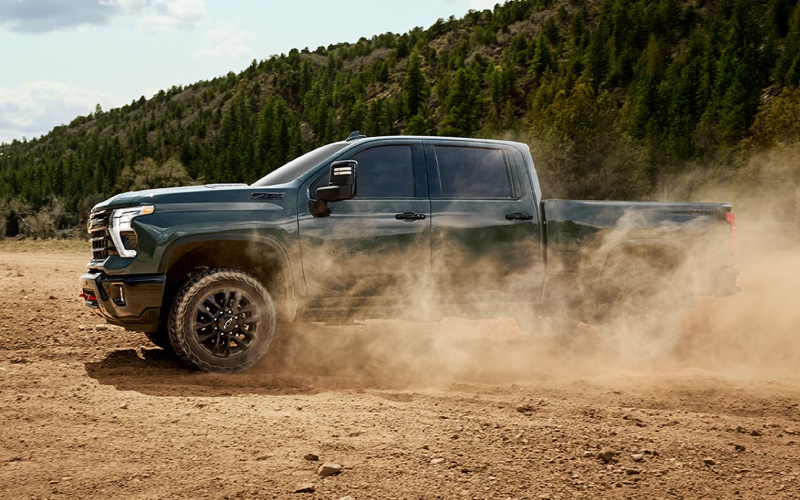
Mills Chevrolet - Mastering heavy-duty towing around Bettendorf, IA with the 2026 Chevrolet Silverado 2500 HD’s camera tech and Trailering App
The right heavy-duty truck does more than pull weight. It helps you control it. Around Bettendorf, IA—where the I-74 bridge funnels traffic, side streets can get tight near the river, and weekend towing often includes boats or campers—the 2026 Chevrolet Silverado 2500 HD’s available camera technologies and In-Vehicle Trailering App stand out as game-changers. Below, we break down how these tools work in the real world, what to look for as you configure your truck, and how to get the most from your setup on day one.
Why camera coverage matters in Bettendorf
Backing a trailer into a narrow driveway off Middle Road or aligning your hitch in a crowded lot near the river calls for clear sightlines. Silverado 2500 HD offers up to 14 available camera views, including Hitch View, Bed View, and Transparent Trailer View. Each is designed to give you perspective where mirrors can’t—reducing guesswork, scrubbing time off setups, and shrinking stress when you are towing alone. Transparent Trailer View can virtually help you see through a compatible trailer, which is especially helpful when merging from Kimberly Road or checking for traffic while switching lanes on the Illinois-bound span.
Even experienced drivers gain confidence from these views. Hitch View provides close-up alignment help so you can connect quickly without hopping out multiple times to recheck your position. Bed View helps you keep an eye on cargo, fifth-wheel, or gooseneck connections from the cab, and available HD Surround Vision can provide an overhead perspective for low-speed maneuvering around tight parking lots and material yards. It all adds up to a towing workflow that feels deliberate and controlled—even when the weather turns and visibility drops.
Getting more from the In-Vehicle Trailering App
Silverado 2500 HD’s In-Vehicle Trailering App is the digital companion many drivers did not know they needed. Create custom trailer profiles—utility haulers, campers, or boat trailers—and the truck saves specifics like tire pressure monitoring setups and mileage. Before departure, step-by-step checklists guide you through safety checks so you do not forget items like breakaway cables, light testing, or weight-distribution adjustments, especially useful when conditions along River Drive are busy and you want to roll out quickly and safely.
The app is more than a list. It centralizes information you would otherwise manage on a phone or paper, including maintenance reminders for trailer bearings and brakes. When paired with the available camera system, you get a one-two punch: better visibility for the moment and better organization over the long run. If your life includes routine tows across the Quad Cities, those small time-savers add up fast.
Feature checklist for smarter setups
- Hitch View: Close-up camera angle for precise ball-and-coupler alignment.
- Bed View: In-bed camera to monitor cargo, fifth-wheel, or gooseneck hitches.
- Transparent Trailer View: Available virtual “see-through” perspective for compatible trailers.
- HD Surround Vision: Available overhead view that helps in tight spaces at low speed.
- Trailer Side Blind Zone Alert: Available alerts help during lane changes with a trailer.
- In-Vehicle Trailering App: Custom profiles, checklists, and maintenance tracking.
Each of these systems plays a specific role. Taken together, they turn a challenging towing day into a controlled routine—particularly important near school zones, construction areas, and riverfront intersections where space is limited and attention is at a premium.
Real-world use cases around Bettendorf
Boat days on the Mississippi are easier when you can rely on Hitch View to connect on the first try, then switch to Bed View for a quick hardware check before you pull away from the ramp. Transparent Trailer View shines when you are working your way back to I-74, allowing a more complete look at cross traffic before you commit to a lane change. If you frequent job sites along Devils Glen Road or 53rd Street, the overhead perspective from available HD Surround Vision aids in threading around parked equipment and pedestrians at low speeds.
On longer trips toward Maquoketa Caves or west on I-80, maintaining awareness reduces fatigue. With multiple perspectives available on the 13.4-inch touch-screen, you can set up your go-to views for different phases of the drive—one for ramp merges, another for campground navigation, and a third for close-quarter backing. Many drivers find that a planned sequence of views, paired with the Trailering App checklist, creates a consistent, repeatable process that saves time and improves safety.
Pro tips for first-time Silverado HD owners
- Build trailer profiles: Save a profile for each trailer to streamline checks and recall past settings.
- Practice the views: Explore every available camera angle in an open lot before you need them under pressure.
- Check cable slack: Use Bed View to confirm safety chain routing and wiring slack on sharp turns.
- Set your sequence: Decide which views you will use during hitching, backing, and merging—then stick to the order.
Small habits become big advantages when towing heavy—especially in mixed city and riverfront traffic. The good news is that Silverado 2500 HD provides the tools to build those habits quickly.
Frequently Asked Questions:
Does the 2026 Silverado 2500 HD’s Transparent Trailer View work with fifth-wheel and gooseneck setups?
Yes, the system is available to help even when using an available fifth-wheel or gooseneck hitch, provided the trailer is compatible and properly configured for the camera view.
How many camera views are available on the 2026 Silverado 2500 HD?
There are up to 14 available camera views, including Hitch View, Bed View, Transparent Trailer View, and HD Surround Vision, to help with situational awareness while hitching, backing, and maneuvering.
What does the In-Vehicle Trailering App track besides checklists?
It supports custom trailer profiles, step-by-step pre-departure checklists, and can integrate relevant trailer-related information to help you monitor and maintain your setup over time.
Are the camera systems helpful for drivers who tow solo?
Absolutely. The combination of Hitch View, Bed View, and HD Surround Vision dramatically reduces the need to hop in and out of the cab, allowing one person to hitch and position trailers more easily and confidently.
For Bettendorf drivers who value control as much as capability, the 2026 Chevrolet Silverado 2500 HD’s camera coverage and Trailering App bring order, speed, and calm to the toughest towing days. At Mills Chevrolet, we help you select the right configuration, walk you through feature setup, and offer ongoing support so you can focus on the road ahead. We are proudly serving East Moline, Bettendorf, and Moline and ready to help you get more from every mile.
When you are comparing heavy-duty pickups, remember that raw numbers only tell part of the story. It is how you use the power that matters most—especially on the I-74 corridor and around the river. Silverado 2500 HD stacks the deck with driver-focused tools that make work feel more manageable and playtime more fun. If you are ready to turn camera tech and trailering features into real-world advantages, our team can help you get there. Mills Chevrolet brings local know-how and a helpful touch so you can step into your truck already set up for success.